
ProBackup + Asana
Daily, automated Asana backups with granular one-click restore of projects, tasks, comments & files. Independent protection against accidental deletion.
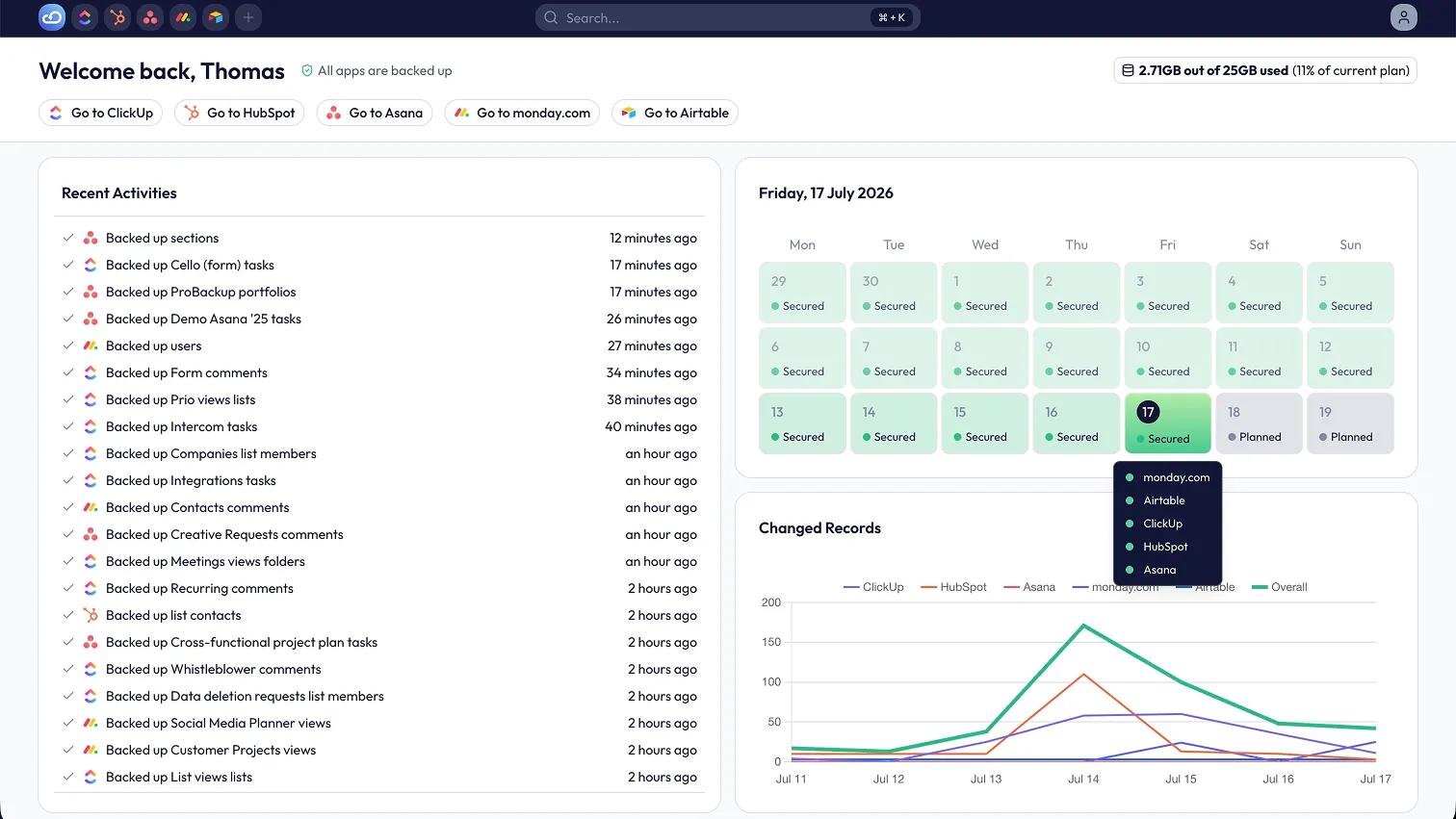
What is ProBackup?
ProBackup is a SaaS backup and recovery tool that performs daily, automated backups of your Asana data. It protects your projects against accidental deletion, human error, misfired automations, and malicious changes - independently of Asana's own infrastructure.
Every 24 hours, ProBackup captures a new snapshot of your projects, tasks, subtasks, comments, custom fields, attachments, and project structures.
Asana's native version history can't recover a deleted project or a bulk edit gone wrong. ProBackup fills that gap:
- Daily, automated backups - set-and-forget protection with no scheduling required. A new snapshot is created every day.
- Granular one-click restore - restore a single task, comment, attachment, or custom field, or an entire project, back into your Asana account. No rebuilding from memory.
- Point-in-time recovery - browse your data as it existed on any previous date and restore exactly that version.
- Smart alerts — get notified automatically when unusual activity or mass deletions are detected (Pro and Premium plans).
- Optional Google Drive sync - sync backups to Google Sheets and Drive folders for an extra layer of redundancy, independent of ProBackup (Pro and Premium plans).
- Enterprise-grade security - data encrypted with AES-256 at rest and TLS in transit. ProBackup is SOC 2 Type II and GDPR compliant.
How to connect ProBackup + Asana?
- Go to https://www.probackup.io/backup/asana
- Click on "Start your free trial", then "Next"
- Register with your name and email, then verify the email
- Click "Log in with Asana" and authorise access via secure OAuth
- Select the workspaces you want to back up
- Click "Start backup" to start the initial backup
Once this is done the first backup is underway. You are redirected to the dashboard of ProBackup and will be notified once the first backup is completed. From then on, all of your Asana data is backed up automatically once every 24 hours.
Learn more and get support
To learn more about using the ProBackup + Asana integration, visit ProBackup.
If you have questions, feedback, or need support, visit the ProBackup Help Center.
Asana does not endorse or certify apps built by third-party developers. If you encounter inappropriate content or behavior, please report it here. Otherwise, please contact the app developer for support.
Collaborate effortlessly with Asana
From the small stuff to the big picture, Asana organizes work so teams know what to do, why it matters, and how to get it done. It's free to get started, simple to use, and powerful enough to run your entire business. Learn more about Asana today.