
Track.ly by 500apps + Asana
Supercharge team productivity and grow faster with easy activity monitoring, project budgeting, online timesheets, and payroll integration.
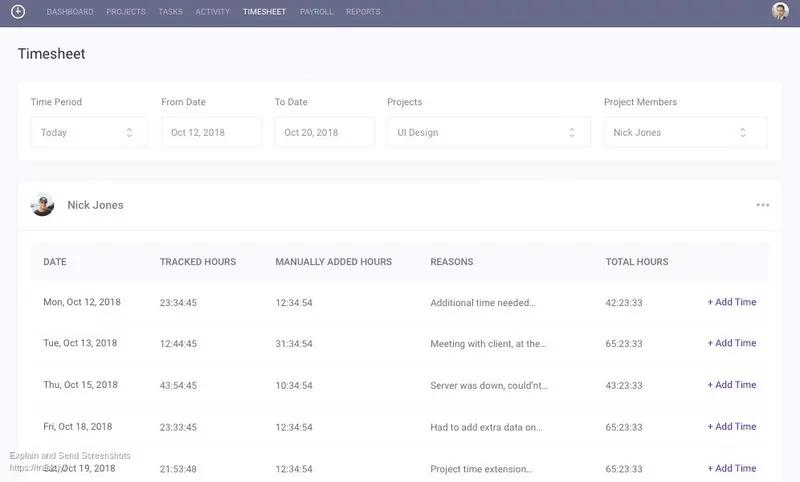
What is Track.ly?
Track.ly is a time tracking and activity monitoring tool that helps teams stay productive and projects run smoothly. With Track.ly, you can:
- Streamline employee time tracking and activity monitoring.
- Multiply productivity and ensure projects run smoothly.
- Budget, bill, and invoice more easily and accurately.
- Stay in control with powerful dashboards and reports.
How to connect Track.ly + Asana?
- Download the Track.ly desktop widget and install it.
- Open the Track.ly desktop widget and click on Menu.
- Go to Switch Projects, select your Asana project, and click Default.
- Click Timer is paused to start tracking time on the project.
- When you're done, click Timer is running to stop the timer.
Learn more and get support
To learn more about using the Track.ly + Asana integration, visit Track.ly website.
If you have questions, feedback, or need support, contact the Track.ly support team.
Asana does not endorse or certify apps built by third-party developers. If you encounter inappropriate content or behavior, please report it here. Otherwise, please contact the app developer for support.
Collaborate effortlessly with Asana
From the small stuff to the big picture, Asana organizes work so teams know what to do, why it matters, and how to get it done. It's free to get started, simple to use, and powerful enough to run your entire business. Learn more about Asana today.